
Key Summary
- For solo coaches and consultants: Choose Lunacal-style tools with branded booking pages and built-in payments to maximize conversions and simplify client onboarding.
- For small wellness teams: Prioritize tools with round-robin scheduling and team availability to streamline bookings without operational complexity.
- For global or online-first businesses: Focus on platforms that offer timezone automation and multilingual support to scale internationally.
- For cost-conscious businesses: Tools like Lunacal stand out with zero commission fees and lower monthly pricing compared to traditional platforms.
Intro
It’s not just about cutting costs anymore to move away from Mindbody; it’s about flexibility, conversion, and control. Having worked with scheduling solutions in health, coaching, and service-oriented companies, one thing is clear: users are frustrated by restrictive systems, hefty costs, and bloated features they rarely use.
Three friction spots keep coming up in my research of documentation, price websites, and actual user feedback. First, the lack of customization for booking experiences lowers conversions. Second, sophisticated interfaces impede down onboarding of small teams. Third, transaction fees and hidden costs cut into the margins.
To help filter out the noise, I looked at newer alternatives like Lunacal against criteria like booking flexibility, monetization capabilities, depth of automation, and real-world usage. I also cross-checked these findings with G2, Capterra, and the official product literature to ensure they were correct.
In this tutorial, you’ll quickly know which Lunacal type tools fit your business model, whether you run a solo coaching practice, or are developing a health brand or a service team, and which one is worth moving to right now.
Mindbody Alternatives Comparison Table
| Criteria | Lunacal | WellnessLiving | Zen Planner | Vagaro | Acuity Scheduling |
| Rating | ⭐ 4.9 / 5 | ⭐ 4.4 / 5 | ⭐ 4.3 / 5 | ⭐ 4.6 / 5 | ⭐ 4.7 / 5 |
| Best For | Coaches, consultants, digital services | Wellness studios, gyms | Fitness businesses | Salons, spas, fitness | Solo professionals, SMBs |
| Booking Type | 1:1, group, routing | Classes, memberships | Classes, memberships | Appointments + classes | 1:1, group |
| Conversion Focus | High (landing-page style) | Medium | Low | Medium | Medium |
| Payments | Stripe, PayPal (0% fee) | POS + billing | Billing system | POS + payments | Stripe, PayPal |
| Team Features | Strong (round-robin, collective) | Strong | Strong | Strong | Moderate |
| Automation | Advanced workflows | Moderate | Moderate | Moderate | Moderate |
| CRM Depth | Light | Strong | Strong | Moderate | Light |
| Custom Branding | High | Medium | Low | Medium | Medium |
| Pricing Level | Low | Mid-high | Mid | Mid | Low-mid |
| Ease of Use | Very easy | Moderate | Moderate | Easy | Very easy |
What should you look for in a new Mindbody alternative?
1. Booking process & conversion flow
Think of the booking page as it appears to a client. A clean layout, fast load times, and clear service descriptions can directly impact how many visitors actually book.
2. Calendar Syncs and control of availability
Expect real-time sync with Google or Outlook. Flexible guidelines, such as buffer time and notice periods, help prevent exhaustion and last-minute pandemonium.
3. Payments, bundles, and revenue generation
Built-in payments should support full payments, deposits, and session bundles. This is important for coaches, therapists, and studios selling subscription services.
4. Team scheduling and routing logic
Multi-staff features, such as round-robin or collective booking, reduce manual coordination and automatically balance workloads.
5. Automation, and client communication
Reminders, confirmations, and rescheduling links should be on autopilot. This reduces the admin work for repeat and no-shows.
Top Mindbody Alternatives tools worth considering next
Here’s a closer look at how each option performs in real use, so it’s easier to match the right tool to your business model:
Lunacal
Intro
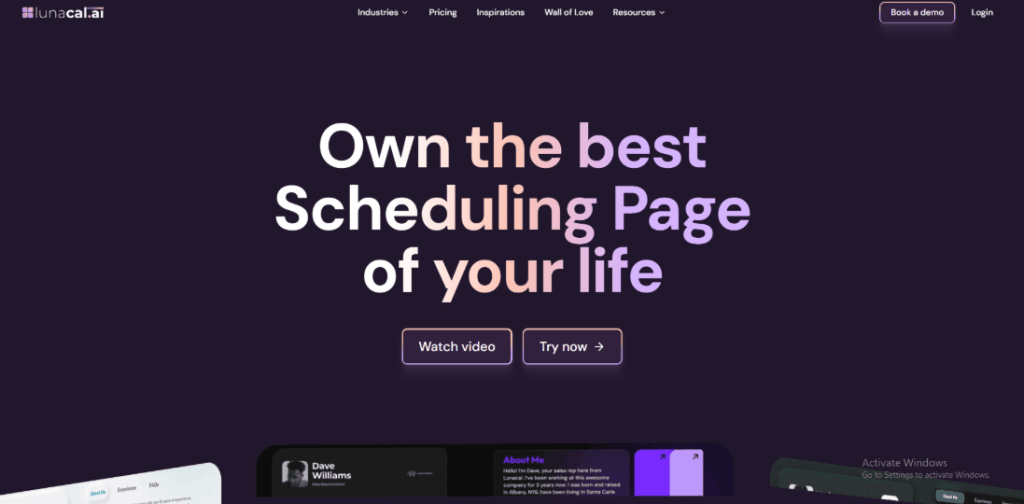
Lunacal is best known for turning simple booking links into high-converting scheduling pages. After setting it up for a small service business, it felt closer to a lightweight sales funnel than a calendar tool. Compared to traditional systems used in Mindbody-style setups, it focuses less on operations and more on client experience, speed, and conversion, which is often where small businesses struggle.
Who Should Use This Tool
- Solo coaches, consultants, and therapists who rely on clean booking flows to convert leads into paid sessions
- Small wellness or service teams that need simple scheduling without the overhead of full business management systems
- Businesses selling session packages, intro calls, or consultations where presentation directly impacts conversions
- Online-first brands working across timezones and needing flexible availability without manual coordination
Core Features
- Smart booking pages
The booking page feels like a mini landing page. It includes testimonials, videos, and structured service info. I noticed this reduces drop-offs compared to generic tools like Calendly. A G2 reviewer mentioned that the flow feels intuitive and professional, which aligns with what I saw. Screenshot shared below.
- Flexible event setup
You can create multiple booking types with different rules, durations, and formats. However, while testing, recreating similar events took extra time. A G2 review noted the lack of event type duplication, and I ran into the same limitation. Screenshot shared below. - Calendar sync control
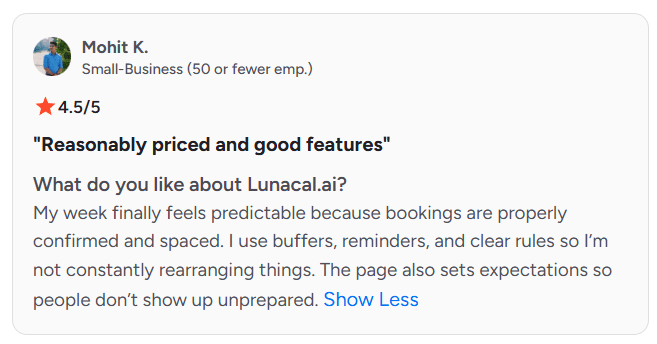
Syncs cleanly with Google and Outlook calendars. Buffer times and availability rules worked reliably. One G2 reviewer highlighted how this made their week predictable, and I agree. It prevents overbooking better than many basic scheduling tools. - Built-in payments
Stripe and PayPal integrations allow upfront payments or session bundles. For small businesses, this removes the need for separate invoicing tools, unlike older setups where payments and booking are disconnected. - Workflow automation
Automated reminders, confirmations, and follow-ups reduce manual work. Compared to heavier systems, this feels simpler but is still effective for reducing no-shows and keeping clients prepared.
Red Flags
- Some operational workflows break down for growing small businesses as mentioned in a G2 Review. It lacks deeper features, such as membership management and POS systems, that tools like Mindbody offer. This becomes clear when scaling beyond simple bookings.
- The mobile experience is slightly limited compared to desktop. A few controls and settings are harder to access when managing bookings on the go
Pricing
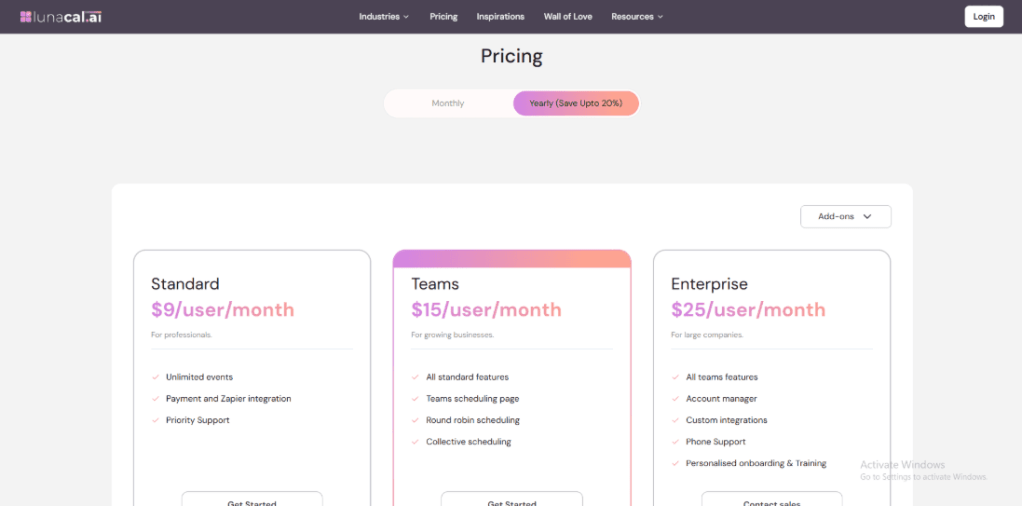
- Free plan available with core scheduling features
- Paid plans start around $9 per user per month and scale with team features
- No commission on bookings, which is a major cost advantage for small businesses
- Full pricing details available here: https://lunacal.ai/pricing
Overall, pricing stays accessible and predictable, especially compared to traditional Mindbody-style platforms that bundle higher operational costs.
WellnessLiving
Intro
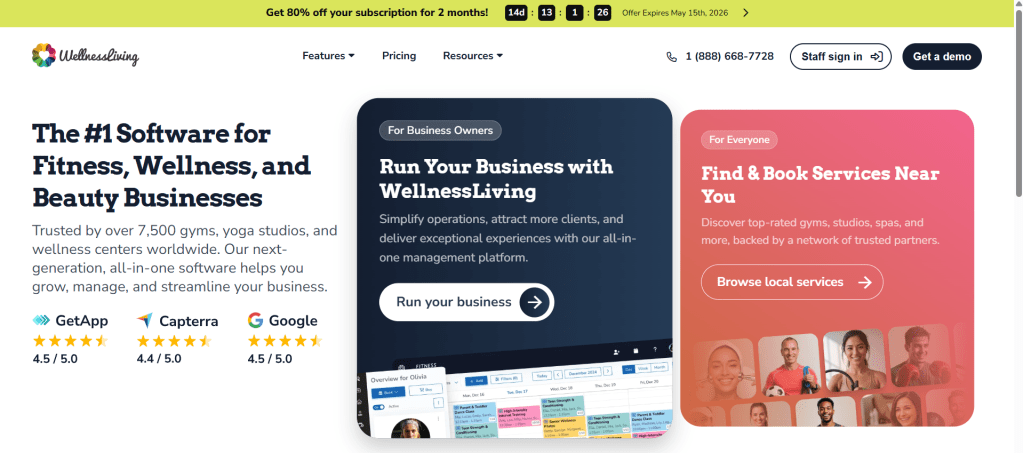
WellnessLiving is widely known as a full-scale business management system for studios and wellness centers. After working through its setup, it felt much closer to an “all-in-one operations hub” than lightweight schedulers like Lunacal. For small businesses that need bookings, payments, memberships, and reporting in one place, it replaces multiple tools, though it comes with a steeper learning curve.
Who Should Use This Tool
- Fitness studios, yoga centers, and wellness clinics managing classes, memberships, and staff
- Small businesses planning to scale into multi-service or multi-location operations
- Owners who want built-in POS, reporting, and client management in one system
- Teams already using platforms like ClassPass and needing deeper integrations
Core Features
- All-in-one dashboard
Scheduling, payments, CRM, and reporting live in one system. Compared to general tools, this reduces tool switching. A G2 reviewer highlighted how scheduling and website integration simplified studio management, and that matched my experience. Screenshot shared below. - Class & membership system
Supports recurring classes, packages, and memberships. This is where it clearly goes beyond simpler tools like Lunacal. However, I noticed some structure limitations. A G2 review noted that courses are treated separately from class passes, which creates friction during setup. Screenshot shared below. - Custom branded app
The private mobile app keeps bookings, schedules, and communication centralized for clients. It’s particularly useful for retention and repeat bookings, something most lightweight schedulers don’t offer natively. - Integrated payments & POS
Built-in billing, payments, and point-of-sale features handle both online and in-person transactions. This eliminates the need for external payment stacks in most small-business setups. - Website & partner integrations
Embeds directly into websites and connects with platforms like ClassPass. This helps drive bookings without relying solely on internal traffic.
Red Flags
- Initial setup can feel complex, especially for small teams without prior experience. A G2 reviewer noted that understanding the platform early on took effort, and I saw the same during onboarding
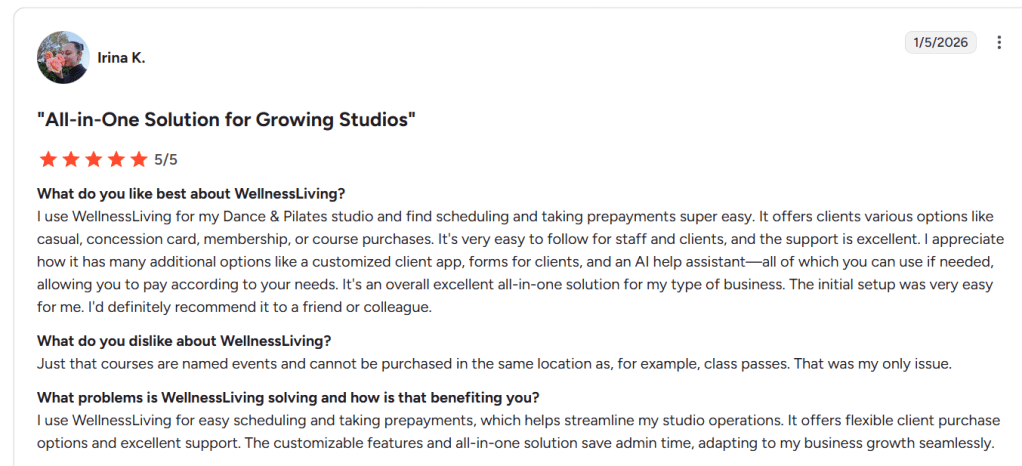
- Some workflows feel slightly fragmented. For example, separating courses from passes can complicate sales flows for studios offering mixed services
- Communication from the platform can feel excessive. Notifications and emails may need manual tuning to avoid overload
Pricing
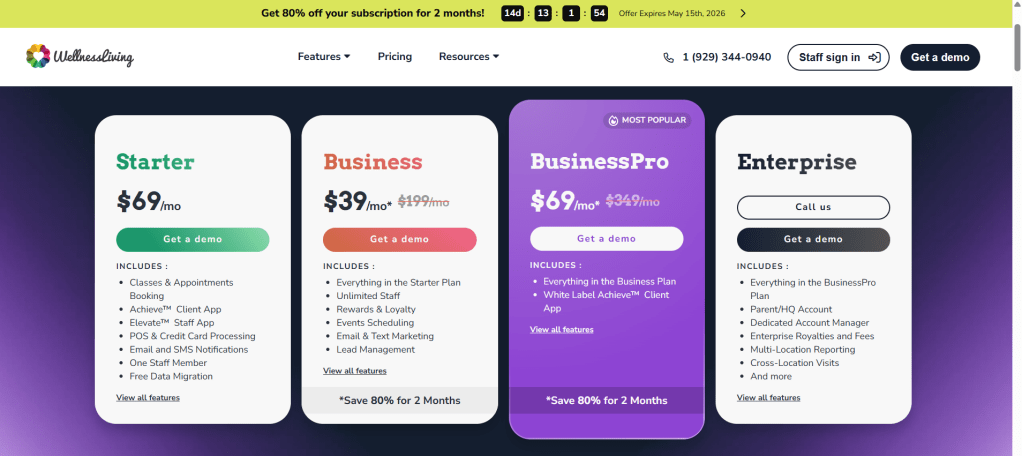
- Pricing is custom-based and depends on business size and features
- Typically positioned higher than lightweight tools due to its all-in-one nature
- Includes scheduling, CRM, payments, and app features in bundled plans
- Full pricing details available here: https://www.wellnessliving.com/pricing
Overall, WellnessLiving fits small businesses that are moving beyond simple scheduling and need a centralized system to run daily operations efficiently.
Zen Planner
Intro
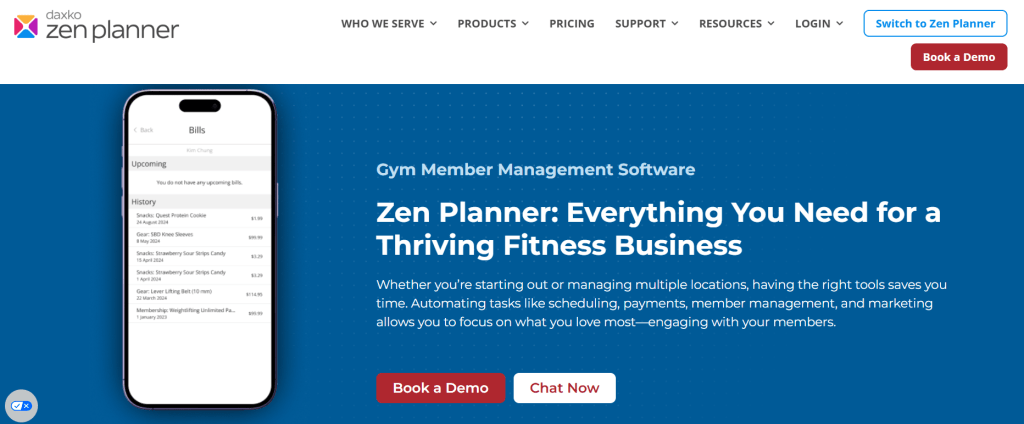
Zen Planner is built specifically for fitness businesses that need more than just scheduling. After setting it up for a gym-style workflow, it felt closer to a structured member management system than a simple booking tool. Compared to lightweight options like Lunacal, it focuses heavily on workouts, attendance tracking, and memberships, which makes it a strong fit for small fitness studios.
Who Should Use This Tool
- Gyms, CrossFit boxes, and martial arts studios tracking workouts and member progress
- Small fitness businesses offering recurring classes, memberships, and attendance limits
- Teams that need both scheduling and performance tracking in one system
- Businesses prioritizing community engagement through apps like SugarWOD
Core Features
- Workout tracking system
Tracks workouts, scores, and personal records. This is something general scheduling tools don’t offer. A G2 reviewer highlighted how useful it is for logging weights and performance, and I saw this add real value for member engagement. Screenshot shared below. - Class booking control
Handles reservations, attendance limits, and history tracking. It works well for structured class environments. However, during testing, finding attendance details took extra steps. A G2 review mentioned similar confusion, which aligns with that experience. Screenshot shared below. - Member management tools
Stores profiles, attendance history, and engagement data. Compared to simpler tools, this gives a clearer view of client activity over time, especially for retention tracking. - Billing and memberships
Supports recurring billing and membership plans. While functional, access to billing inside the app felt slightly buried. A G2 reviewer also noted clients struggling to locate it, which reflects the same usability gap. - Community integration app
Integrates with SugarWOD for client interaction, workout sharing, and motivation. This adds a community layer that most scheduling-first tools lack.
Red Flags
- Multi-location workflows can break down. Switching between gyms is not seamless, and user data, such as PRs, does not transfer cleanly.
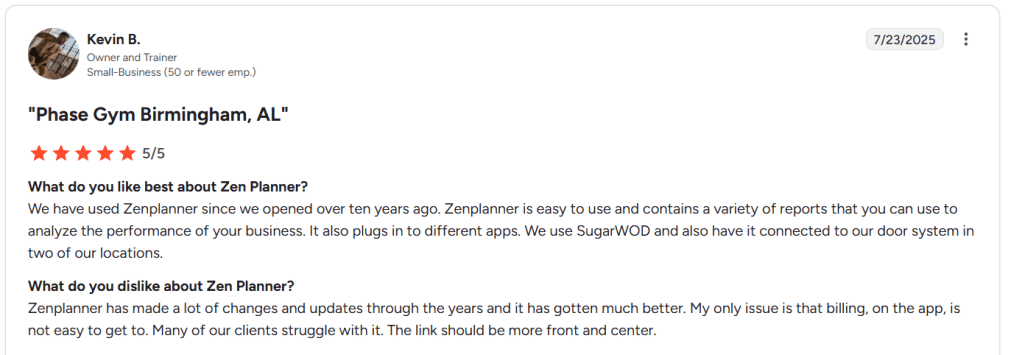
- Initial setup takes effort. Configuring memberships, classes, and billing requires time and familiarity with the system
- Some navigation decisions feel unintuitive. Key actions like billing access or attendance tracking are not always easy to locate
Pricing
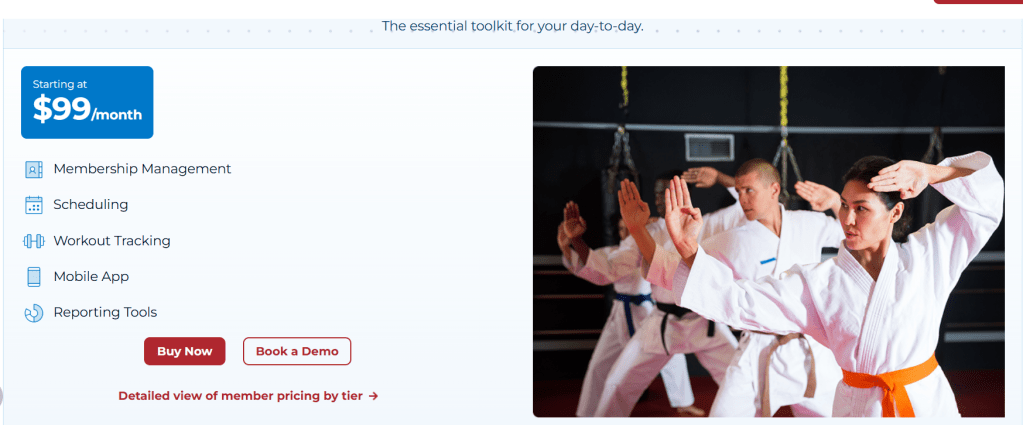
- Pricing is custom-based depending on business size and needs
- Typically mid-range, reflecting its niche focus on fitness businesses
- Includes scheduling, workout tracking, and billing in one system
- Full pricing details available here: https://www.zenplanner.com/pricing
Overall, Zen Planner works best for small fitness businesses that need structured class management and member tracking, rather than just a booking tool.
Vagaro
Intro

Vagaro is widely known as an all-in-one platform for salons, spas, and fitness businesses that need both scheduling and day-to-day operations in one place. After setting it up, it felt closer to a full business system than a simple booking tool. Compared to lightweight tools like Lunacal, Vagaro leans heavily into POS, CRM, and in-person workflows, which many small businesses eventually need.
Who Should Use This Tool
- Salon, spa, or aesthetic businesses that need booking, payments, and client tracking in one system
- Fitness studios offering classes, memberships, and recurring sessions
- Small businesses transitioning from manual or fragmented systems into a centralized platform
- Teams handling both online bookings and walk-in clients where POS and scheduling must stay synced
Core Features
- All-in-one booking system
Handles 24/7 online booking, staff scheduling, and service management in one place. It replaces multiple tools, which is useful for small businesses looking to move beyond basic schedulers. A G2 review highlighted how it keeps operations smooth and organized, and that matches my experience. - Integrated POS system
Payments, checkout, and invoicing are built in. This is where Vagaro stands apart from simpler tools like Lunacal. However, I noticed one limitation during testing. A G2 reviewer mentioned clients needing to tap and pay after each service instead of a smoother flow, which can slow down busy environments. - Client management CRM
Stores client history, preferences, and notes. This is valuable for repeat service businesses. Compared to general scheduling tools, this adds real operational depth, especially for salons tracking treatments or preferences over time. - Marketing automation tools
Email, SMS, and promotional and reminder campaigns are included. These help drive repeat bookings. I found this more advanced than most scheduling-first platforms, though setup takes some time to get right. - Class and membership management
Supports group classes, memberships, and packages. This is essential for fitness studios and something many lighter tools simply don’t handle well.
Red Flags
- Costs increase quickly as features scale. A G2 reviewer pointed out that add-ons like SMS marketing and forms require extra fees, which I also noticed while configuring advanced features
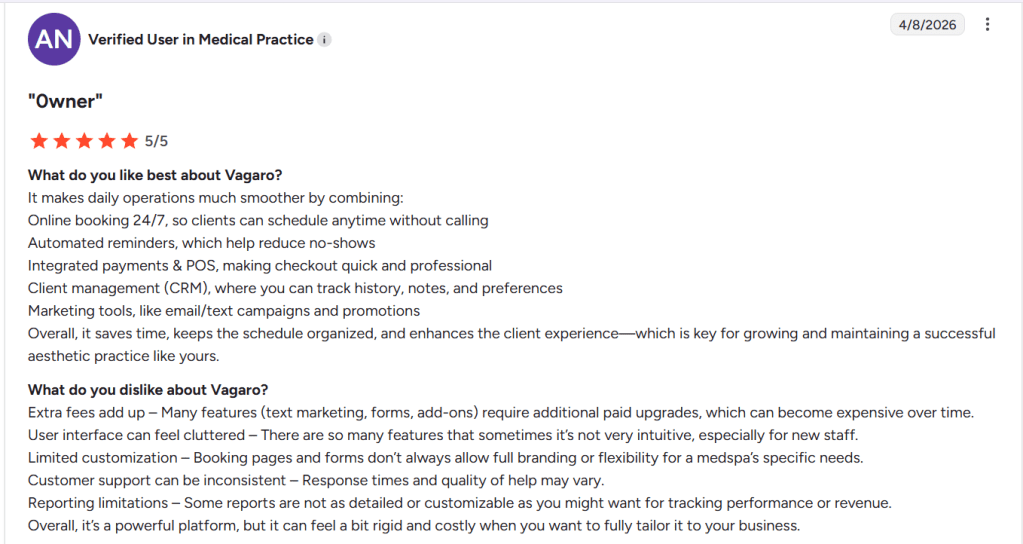
- The interface can feel overwhelming at first. New staff may need time to learn navigation because of the number of features packed into the system
- Customization feels limited in some areas. Booking pages and forms don’t always match specific branding needs, which can be restrictive for businesses focused on client experience
Pricing
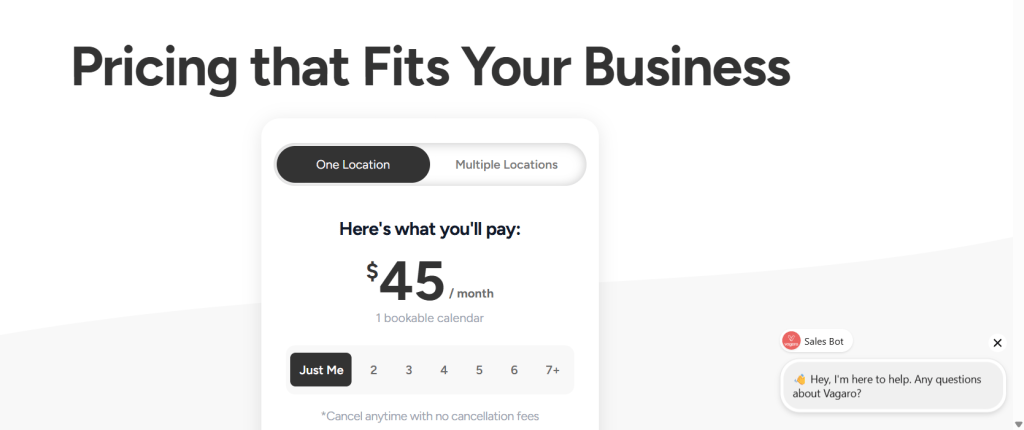
- Starts around $45 per month for a single user with basic features
- Pricing increases based on staff size and add-ons like marketing tools or forms
- Additional costs apply for premium features, which can impact long-term budgeting
- Full pricing details available here: https://www.vagaro.com/pro/pricing
Overall, Vagaro offers strong operational depth for small businesses, especially those needing POS and CRM in one place, but costs and complexity increase as more features are added.
Acuity Scheduling
Intro
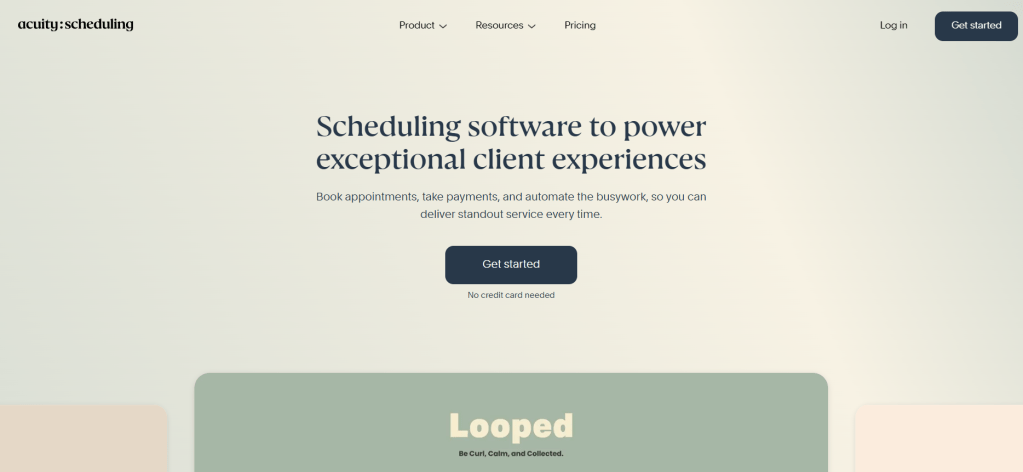
Acuity Scheduling is widely known as a dependable, no-frills booking tool, especially popular among small businesses already using Squarespace. After setting it up, it felt familiar and structured, closer to traditional scheduling systems. Compared to newer tools like Lunacal, it leans more toward stability and simplicity rather than conversion-focused booking experiences.
Who Should Use This Tool
- Small businesses already using Squarespace and wanting native scheduling integration
- Solo professionals who prefer a structured, predictable booking setup over customization
- Service providers offering straightforward appointments without complex team routing
- Businesses transitioning from manual booking methods to a reliable digital system
Core Features
- Squarespace integration
The native connection is smooth if you are already in that ecosystem. A G2 reviewer mentioned it reduced their learning curve, and that matches what I experienced. Setup feels guided and less overwhelming for first-time users. Screenshot shared below. - Custom intake forms
You can collect client details during booking with flexible forms. This works well for consultations or prep-heavy sessions. Compared to more modern tools, the form logic is simpler but still practical. - Calendar sync setup
Syncs with Google, Outlook, and iCloud calendars. Availability updates reliably, though the controls feel more rigid than those in newer scheduling tools that offer advanced routing or logic. - Payment collection tools
Supports Stripe, PayPal, and Square for collecting payments. It handles deposits and full payments well, though packaging services or bundles requires more manual setup. - Automated notifications
Email and SMS reminders are included. They reduce no-shows effectively, but customization options feel limited compared to tools designed for more dynamic workflows.
Red Flags
- Integration can feel restrictive when tied closely to Squarespace. A G2 reviewer noted that flexibility drops over time, especially as needs grow.
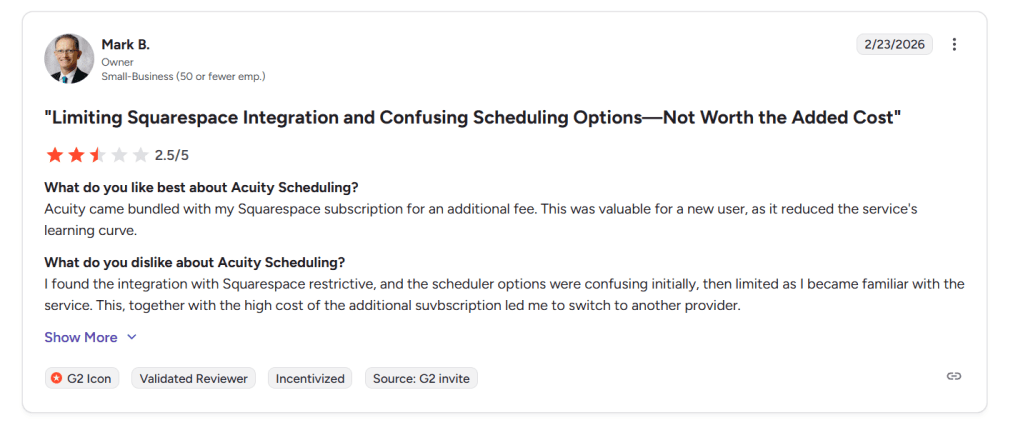
- The interface takes time to fully understand. Initial setup is manageable, but deeper configuration becomes less intuitive as more booking types are added
- Pricing can feel high for what is offered, especially when layering it on top of a Squarespace subscription
Pricing
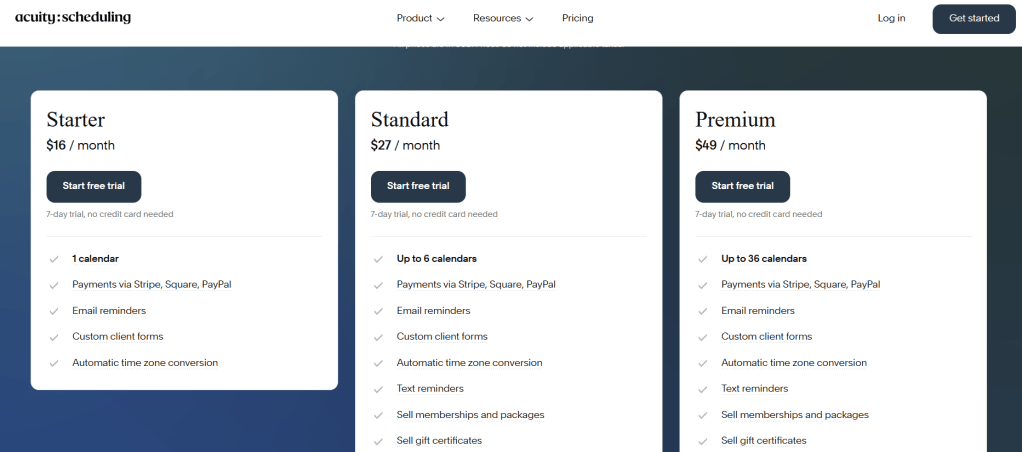
- Paid plans start around $16 per month and increase based on features and calendars
- No permanent free plan, only a trial period
- Additional cost if bundled with Squarespace subscriptions
- Full pricing details available here: https://acuityscheduling.com/pricing
Overall, Acuity Scheduling works best as a stable, integrated booking solution, but it may feel limiting for small businesses looking for more flexibility or conversion-driven features.
Conclusion
If the goal is to move away from rigid systems like Mindbody, the smarter move is choosing a tool that fits how the business actually operates today. After testing these tools hands-on, the biggest shift is clear: modern scheduling tools win on simplicity, speed, and client experience.
- Lunacal works best for solo operators and small teams who care about conversion, branding, and clean booking flows
- Acuity Scheduling fits structured businesses already using Squarespace and wanting a stable, predictable system
- WellnessLiving is better for studios needing deeper operations like memberships and reporting
- Zen Planner suits fitness-focused businesses with classes, attendance tracking, and coaching workflows
- Vagaro is ideal for salons or spas needing POS alongside scheduling
From experience, choosing a lighter, more focused tool like Lunacal often delivers faster wins for small businesses trying to simplify operations and increase bookings.
FAQs
1. What is the best Mindbody alternative for small businesses?
Tools like Lunacal and Acuity Scheduling are strong options. Lunacal focuses on conversion and ease of use, while Acuity offers structured scheduling with reliable integrations.
2. Is Lunacal better than Mindbody?
Lunacal is better for small, service-based businesses that need simple scheduling and branded booking pages. Mindbody is better suited to large studios that need a full operational system.
3. Which scheduling tool is easiest to set up?
Acuity Scheduling is easier for beginners, especially if using Squarespace. Lunacal is also simple but offers more customization once set up.
4. Are there cheaper alternatives to Mindbody?
Yes, Lunacal, Acuity Scheduling, and Vagaro all offer lower pricing compared to Mindbody, often without transaction fees.
5. Can I accept payments with Mindbody alternatives?
Most alternatives like Lunacal and Acuity support Stripe and PayPal, allowing upfront payments, deposits, and session packages.
6. What features should a small business look for in scheduling software?
Focus on calendar sync, automated reminders, payment integration, and a clean booking page that improves conversions.
7. Is Acuity Scheduling good for teams?
Acuity works for small teams but lacks advanced routing features. Tools like Lunacal or WellnessLiving streamline team scheduling.

 OnlineSchedulingTools
Leave a comment